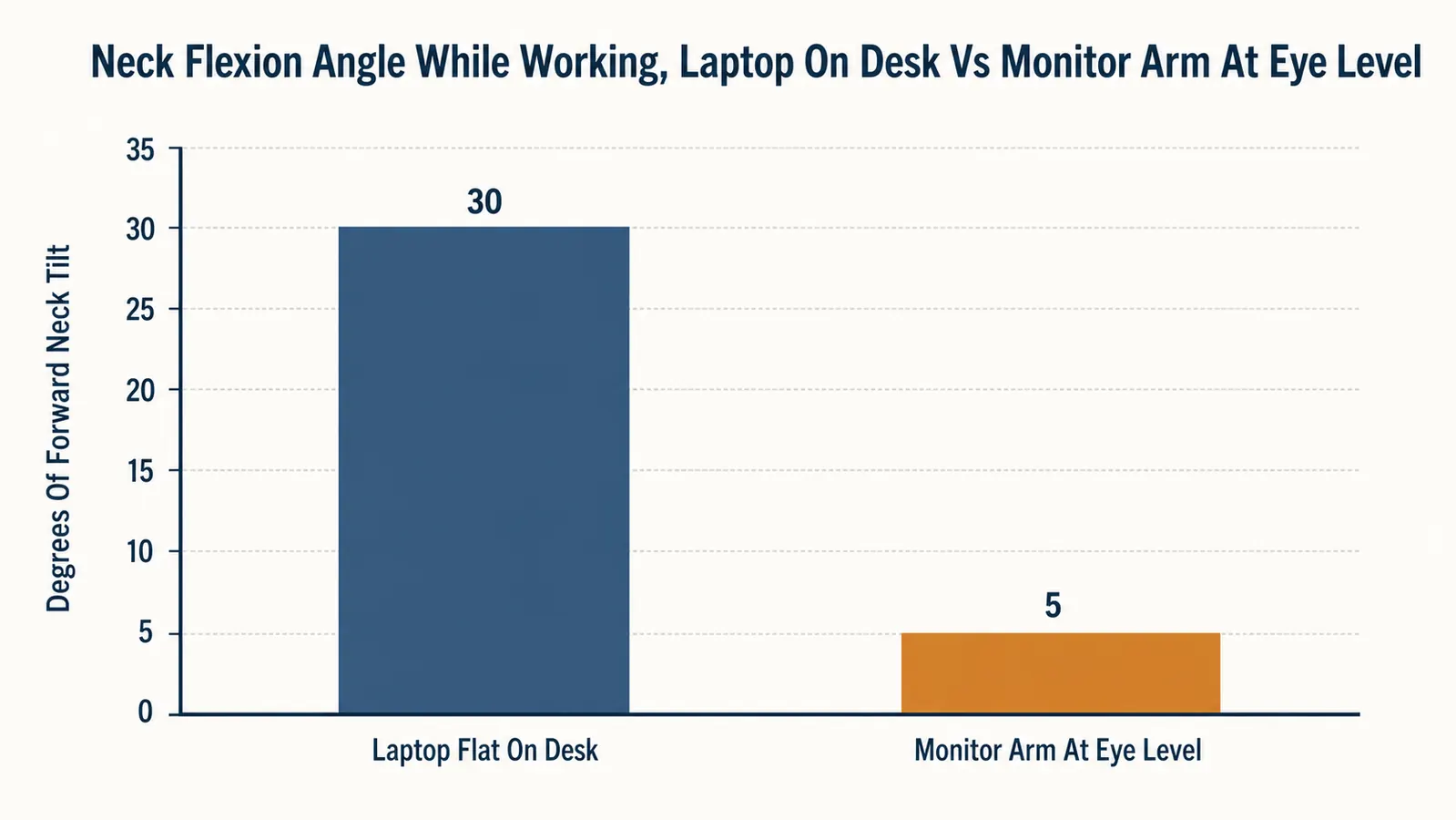
For close to two years I worked with my laptop sitting flat on the desk, screen bottom maybe four inches above the wood. I didn't think much of it until I noticed I was tilting my head forward every single time I looked at it, hundreds of times a day, and by early evening my neck felt like it had been holding a bowling ball out in front of my shoulders. Because, mechanically, it had. A 10 to 12 pound head held 30 degrees forward puts a lot more load on the neck and upper back than the same head balanced directly over the spine.
I tried a foam wedge, a stack of hardcover books, one of those cheap plastic laptop risers that wobbled if you typed too hard. None of it lasted because none of it actually solved the geometry. What fixed it was an affordable monitor arm, the VIVO Single, clamped to the back edge of my desk. Here at Best Home Office Setup Hub we test the gear people actually use eight hours a day, not the stuff that photographs well and falls apart in a month, and this is one of the cheapest, most mechanically obvious fixes I've tested in this niche. Here are ten specific reasons it worked.
Your Neck Doesn't Need a Better Pillow, It Needs the Screen to Stop Being Six Inches Too Low
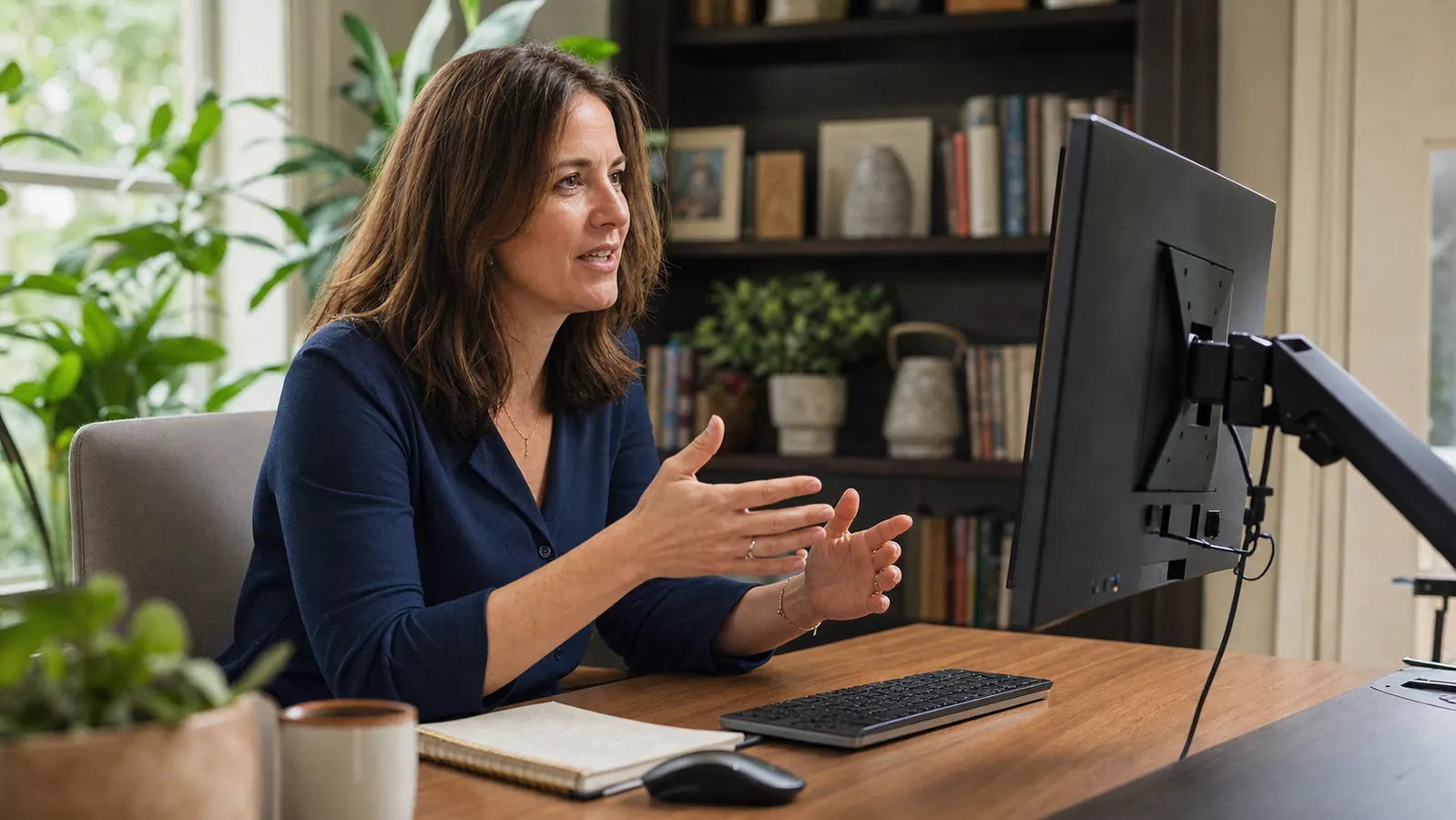
The VIVO Single monitor arm holds screens up to 32 inches and 22 lbs on a full-motion gas spring joint, so the top of your screen lands at eye level instead of your eyes dropping to meet it. Check today's price before you buy another neck pillow that just gets left on the couch.
Amazon Check Today's Price on Amazon →It Puts the Top of the Screen at Actual Eye Level
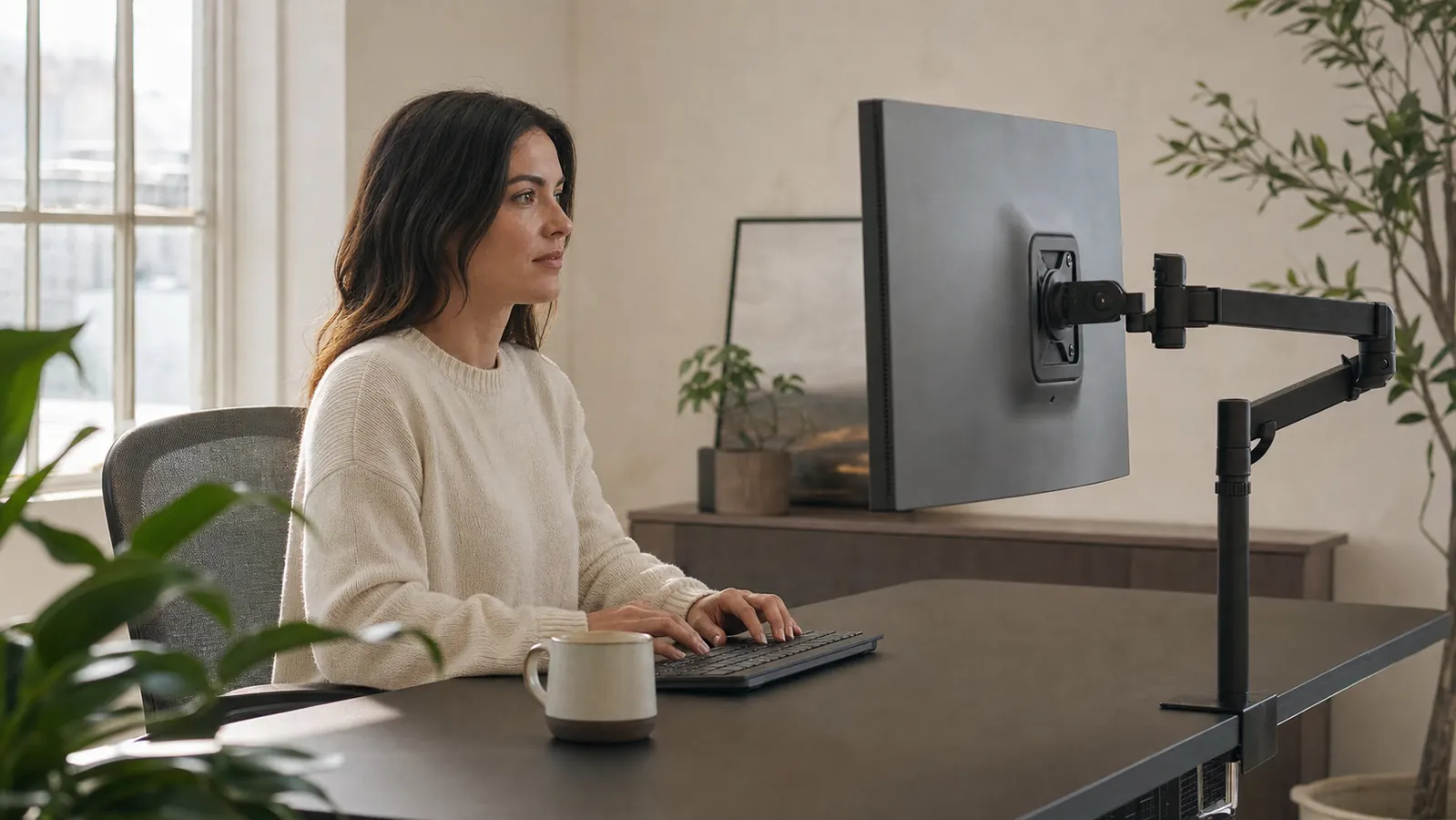
The general comfort guideline most ergonomists point to is having the top third of your screen roughly at eye height, so your gaze falls slightly downward rather than your chin dropping toward your chest. A laptop sitting flat on a desk puts the screen well below that line for anyone over about 5'4". The VIVO arm extends up to 20 inches and adjusts through a full vertical range, so I set the top of my monitor level with my eyebrows once and haven't touched it since. My chin stopped tucking forward within the first week.
The Gas Spring Actually Holds Position, It Doesn't Drift
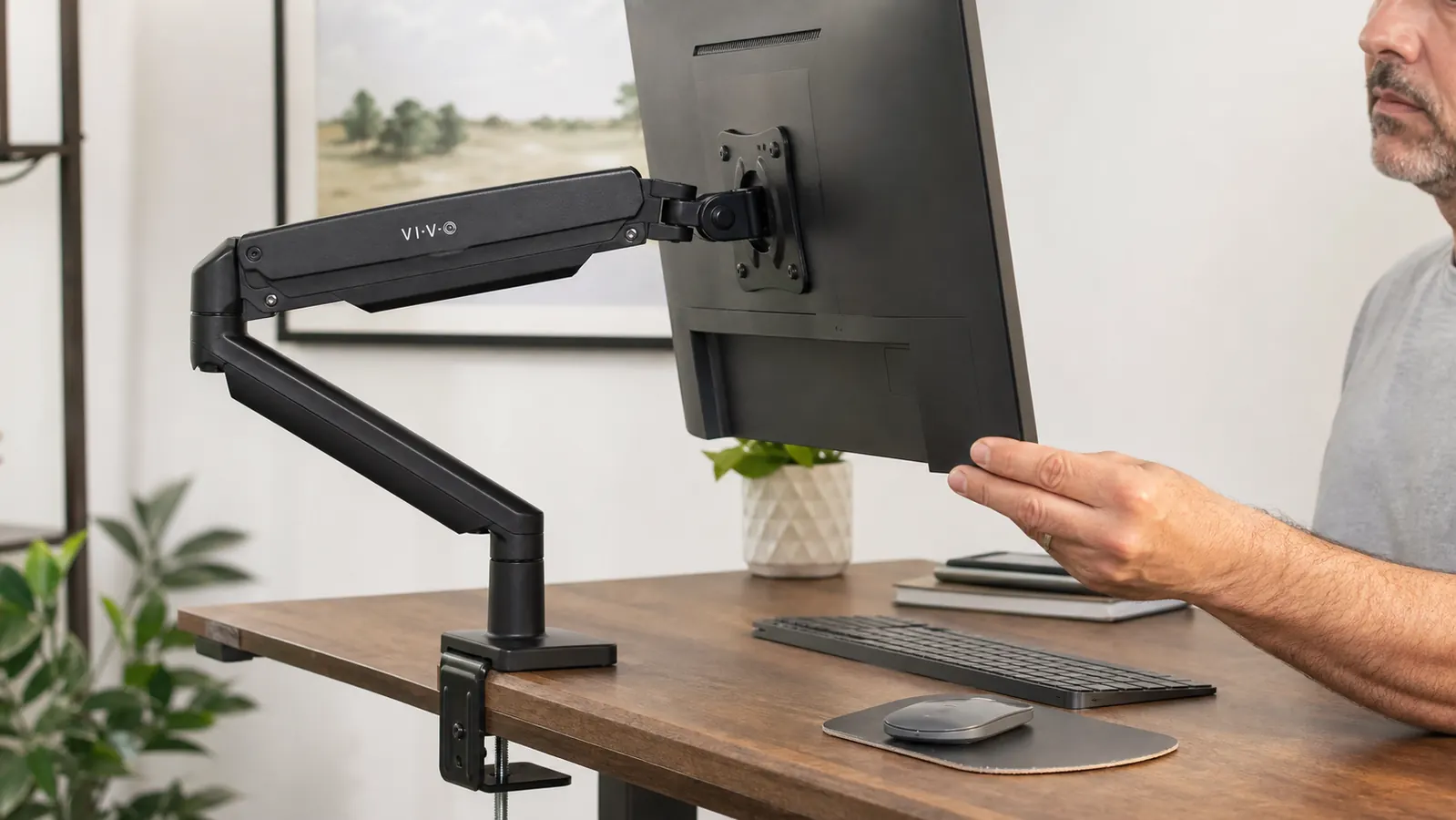
I tried a cheaper fixed-height stand before this, and the problem wasn't the height, it was that any stand you have to physically lift the monitor off of encourages you to just leave it wherever it landed. The gas spring arm moves with one hand and locks itself the instant you let go, no drifting down over a few days the way spring-loaded stands sometimes do once the tension wears in. Because adjusting takes five seconds, I actually re-tilt it through the day instead of tolerating a bad angle.
Full Tilt and Swivel Means You Stop Turning Your Whole Neck
A fixed monitor forces you to turn your head and neck any time you want to angle the screen away from glare or toward a second person in the room. This arm tilts up and down, swivels side to side, and rotates into portrait mode, all from the same joint. When afternoon sun hits my window, I tilt the screen down a few degrees instead of craning my neck sideways to dodge the glare for the rest of the day. Small adjustment, but it's one less repeated bad angle held for hours.
It Frees Up Desk Depth So You Stop Leaning In
A monitor sitting on a stand takes up 8 to 10 inches of desk depth, which pushes your keyboard forward and encourages you to lean in toward the screen to compensate, rounding your shoulders and neck forward in the process. The clamp mount on this arm pulls the monitor off the desk surface entirely and lets it float back over the rear edge, so I gained real desk depth and could pull my chair, and my keyboard, back to a proper arm's length. I stopped leaning in without deciding to.
It Fixes the Laptop Hunch Specifically
If you work from a laptop, the built-in screen sits low by design, which is the single biggest cause of forward neck tilt I hear about from other remote workers. Pairing this arm with an external monitor, or with a laptop stand and separate keyboard, gets the screen up to a real working height instead of you hunching down to meet a 13 inch panel sitting on the desk. I still use my laptop keyboard some days, but the screen itself is never the thing pulling my neck forward anymore.
It Holds Steady Even With a Heavier Monitor
A wobbly mount is almost worse than no mount, because a screen that shakes every time you type trains you to sit rigidly still to avoid the bounce, which is its own kind of muscle tension. This arm is rated for 22 lbs, well above most 24 to 27 inch monitors, and the clamp bites into the desk edge hard enough that typing firmly doesn't move the screen at all. I weighed my monitor before buying, 12.4 lbs, well within range, and there's zero bounce even on a hard keystroke.
It Adjusts to Match a Sit-Stand Desk
If you switch between sitting and standing during the day, a fixed monitor height is right for exactly one of those positions and wrong for the other, which means either your neck or your lower back is compensating half the time. Because the arm attaches to the desk itself and moves independently of a monitor stand, it travels up and down with the desk and I only have to nudge the tilt slightly when I switch positions, not fully re-set the height every time.
Cable Management Keeps You From Reaching Around the Back
This sounds unrelated to neck pain until you count how many times a day you twist around behind a monitor to plug something in or untangle a cord, each time putting your neck through an awkward rotated position it wasn't built for. The arm includes a cable clip that routes the power and HDMI cords along the mount itself, so cables stay tidy and accessible from the front instead of buried behind the screen. I stopped doing that half-twist reach entirely.
It Fits Almost Any Monitor Without a Second Purchase
The mount fits screens from 13 to 38 inches, including ultrawides, using a standard VESA plate, and comes with both a C-clamp and a grommet mount for desks with or without a pre-drilled hole. I've moved this same arm between two different monitors over the past year without buying an adapter or a new mount, which matters if you upgrade your screen before you upgrade everything else in your setup.
It's a One-Time Affordable Fix, Not a Recurring One
A neck pillow wears out. A posture app you have to remember to open. A stack of books eventually gets pulled apart for actual reading. The monitor arm just sits there doing its job every single time you sit down, no daily decision required. At a budget price, it's one of the cheapest single changes I've made to this desk, and it's the one piece of gear that's been on it, untouched and still working, longer than almost anything else I own.
What I'd Skip
If your desk is a glass top or has a built-in ledge under two inches thick, the C-clamp won't have enough surface to bite into, so check your desk edge before ordering. I'd also skip this if you're running dual monitors and want them mounted independently, look at the dual-arm version instead since one arm won't split into two screens. And to be clear, this is a comfort and posture fix, not a medical device. If neck or shoulder pain is sharp, radiates down an arm, or doesn't ease up once your screen height is corrected, that's worth a conversation with a doctor rather than another piece of desk gear.
Most neck pain at a desk isn't a mystery. It's a screen that's been six inches too low for two years, and nobody ever measured it.
Stop Tilting Your Head Down to Meet the Screen
You can keep stacking books under your laptop, or you can put the screen where your neck actually wants it in about ten minutes. Check today's price on the VIVO Single monitor arm before your next full day at the desk.
Amazon Check Today's Price on Amazon →