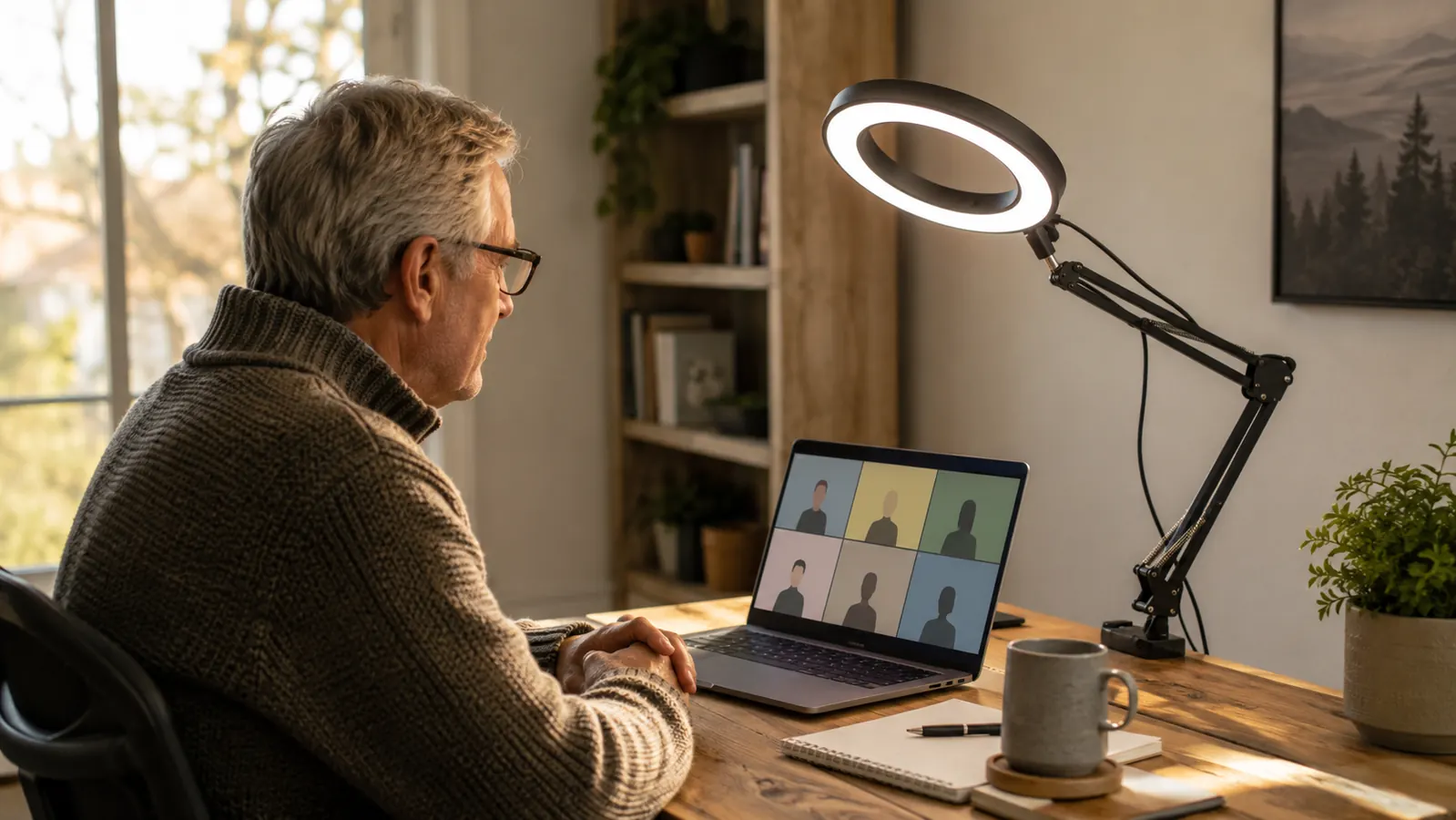
I'm forty-one, I work from a spare bedroom in Columbus, and for two years my video call lighting was whatever the ceiling fixture happened to be doing that day. Overhead light, a laptop camera angled up my nose, and a shadow under my eyes that made me look like I hadn't slept since 2019. Nobody said anything, but I noticed it every time I watched a recording of a meeting back, and eventually I got tired of flinching at my own face on screen.
I bought the UBeesize 10 inch key light in February after a coworker's screen looked noticeably better than mine on a client call, and I asked her what she was using. I've now used it almost every workday since, roughly four to six video calls a day, five days a week, for six months straight. This review is what actually happened, including the parts that didn't impress me, because most reviews I read on Amazon before buying were written the week the box arrived and never mentioned what six months of daily clamping and unclamping does to a plastic arm joint.
The Quick Verdict
A genuinely bright, adjustable key light that fixed my washed-out, shadowed video calls within a week, held up to daily clamping for six months, and costs far less than the streamer-grade lights it's clearly copying.
Amazon Check Today's Price →If your face looks worse on camera than it does in the mirror, it's probably not you, it's your lighting
I spent two years blaming bad webcams before I tried an actual key light. Check today's price on the UBeesize Key Light and see if it's in stock.
Amazon Check Today's Price on Amazon →How I've Used It
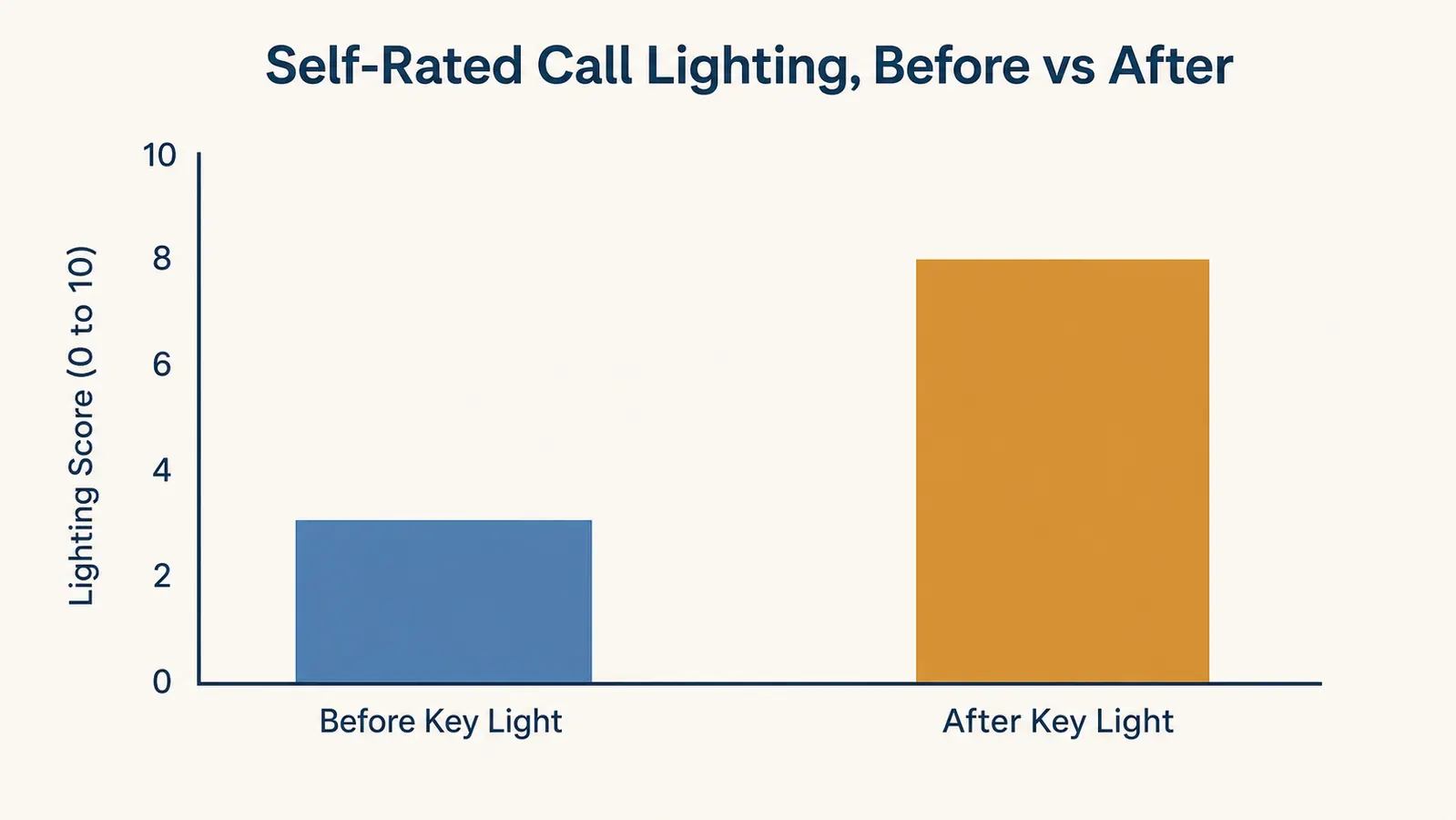
At Best Home Office Setup Hub we get some version of this question weekly: does a key light actually change how you look on a call, or is it a placebo? I wanted a real answer, not a gut feeling, so I did something low effort but honest. For two weeks before buying, I rated my own on-camera lighting after each call, on a 1 to 10 scale, using nothing but a mental gut check right after I hung up. Then I did the same thing for the first six weeks after the light arrived, and spot-checked it monthly after that.
My setup is a 27 inch monitor on a separate arm, a laptop pushed to the side as a second screen, and a window behind me that I never bothered to fix, which was honestly most of the problem. I'm in a north-facing room, so the light through that window is flat and gray most of the day, and by 4pm it's basically gone. None of that changed when the key light arrived. The light was the only variable I added, and I kept my camera position, my chair, and even my monitor brightness exactly where they were before, since I didn't want to accidentally credit the light for an improvement that came from somewhere else.
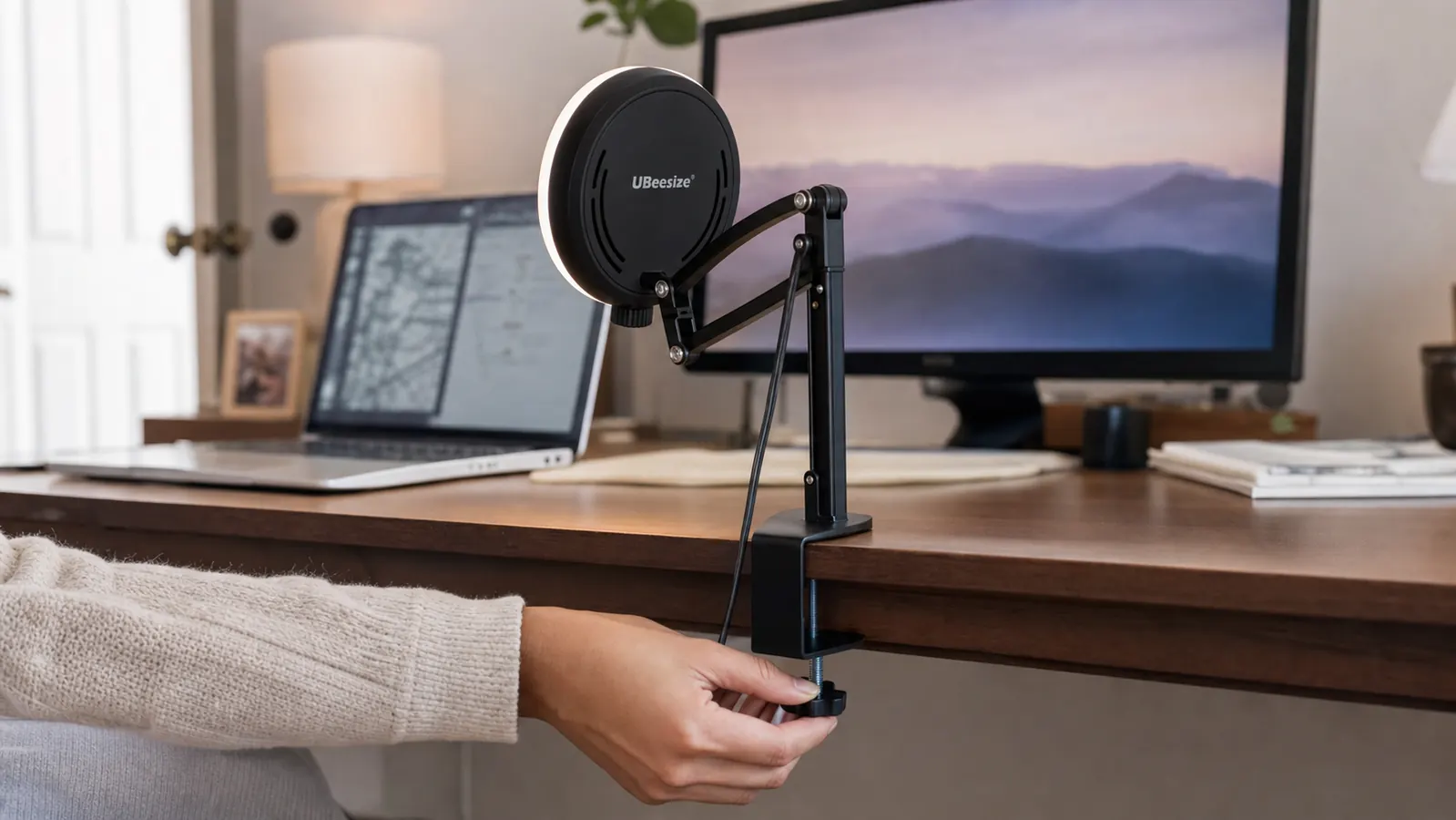
Setup took about fifteen minutes the first time, mostly figuring out where on the desk the clamp would actually reach without hitting my keyboard tray. The UBeesize ships with the light head, the articulating arm, a desk clamp, and a small tabletop tripod as a second mounting option. I went with the clamp since my desk has a thin enough edge for it to bite down properly. If your desk edge is thicker than about 2.3 inches, which some standing desks are, the clamp won't seat right and you'll need the tripod instead.
Power is a USB-C cord that runs to a wall adapter or, on days I'm working from a coffee shop with my laptop, straight into a laptop USB port. It's not battery powered, which I actually prefer, since I don't have to remember to charge one more device, but it does mean the cord is a permanent fixture running down the back of my desk. I zip-tied it to the monitor arm early on so it wouldn't dangle into my lap, and that's held up fine for six months.
Brightness and Color Temperature, What the Numbers Actually Mean
UBeesize lists this as a 10 inch light with adjustable brightness and color temperature from roughly 3000K to 6000K, controlled by two dials on the back of the light head. I want to be specific about what that range does in practice, because the listing doesn't really explain it. The 3000K end is a warm, almost candle-like tone that looks good in the evening but makes your skin read slightly orange on some webcams. The 6000K end is a cool, almost clinical daylight tone, closer to what you'd get from an overcast sky. I settled at around 4500K, which sits in the middle and looked the most natural on both my laptop's built-in camera and a separate Logitech webcam I tested it with.
Brightness runs on a separate dial with no marked steps, just a smooth rotation from off to max. At full brightness, sitting about eighteen inches from my face, it's genuinely too bright, borderline uncomfortable to look at directly for more than a few seconds. I run mine around 40 percent most of the day, which is still noticeably brighter than any desk lamp I've owned. On overcast days or after sunset, I bump it up closer to 55 to 60 percent to compensate for the room going dark around me, and in the peak of summer with the window doing most of the work, I sometimes drop it as low as 20 percent just to take the edge off the remaining shadows.
The light itself is a ring of small LEDs behind a diffusion panel, not a single bright bulb, which is why it doesn't throw hard shadows the way a desk lamp does. That diffusion is doing real work. I tested it side by side with an old gooseneck lamp I had lying around, and the lamp created a sharp shadow line under my chin and along one side of my nose. The key light spread the same amount of light evenly enough that those shadows mostly disappeared, and a coworker on a call that same afternoon asked, unprompted, if I'd moved offices.
The Adjustable Arm, Six Months of Clamping and Unclamping
The articulating arm is a scissor-style design with two joints, one near the clamp and one near the light head, both tightened with plastic thumb screws. I don't leave mine clamped on permanently, since my desk doubles as a dinner table on weekends, so I've clamped and unclamped it roughly 130 times over six months by my rough count. The clamp mechanism still bites the desk edge just as firmly as it did on day one, no play, no slipping under the light's weight, even after being packed away and reset every Friday and Sunday night.
The arm joints are a different story, though not a dealbreaker. Around month three, the thumb screw closest to the light head started needing an extra half turn to hold the angle firmly, where before a light snug turn was enough. It hasn't failed or drooped mid-call, but I've noticed I now check the angle before important calls in a way I didn't for the first two months. If UBeesize used metal screws instead of plastic here, I think this wouldn't be an issue at all, and it's the one part of the build that feels like a place they saved money.
Positioning-wise, the arm gives you real range, up to about 20 inches of reach and enough rotation to get the light directly behind your monitor, off to one side, or angled down from above like a softbox. I keep mine positioned just above and slightly left of my monitor, angled down at maybe 30 degrees, which avoids any glare bouncing back into my eyes off the screen while still lighting my face evenly. I tried mounting it directly behind the laptop lid once, which put the light almost eye level, and it worked but made the arm block part of the monitor when I glanced up, so I moved it back off to the side within a day.
Who Else Uses It, and Whether the Fix Held Up for Them
My wife borrowed the light for a two-week stretch when her own desk lamp burned out, and her main note was that the phone holder built into the light head, meant for creators recording vertical video, was useless for her purposes but also didn't get in the way of normal use. She's not on video calls as often as I am, more like two a day, and she didn't bother learning the color temperature dial at all, just left it wherever I had it set. That's probably the realistic experience for most people buying this. You dial it in once for your face and your room, then mostly forget it's adjustable.
A friend who works in sales and does eight to ten calls a day bought one after seeing mine on a shared screen. He mounted his on the tabletop tripod instead of clamping it, since his standing desk edge was too thick for the clamp, and he said the tripod base takes up more desk real estate than he expected, close to a 6 inch footprint, which crowded his keyboard until he moved it further back. He also mentioned the light runs slightly warm to the touch after two or three hours at high brightness, not hot enough to worry about, but noticeable if you brush against the housing while reaching for something on the desk.
What I Considered Instead
Before buying, I looked at a couple of other routes. A basic 12 inch ring light on a floor stand, the kind photographers and TikTok creators use, ran a similar price but took up floor space I don't have in a spare bedroom that's also storage for two bikes. It also sits low relative to a desk setup, so I'd have had to raise it awkwardly to hit eye level. And I considered just buying a better desk lamp with a daylight bulb, which would have been cheaper, but a lamp throws light from one direction with a hard shadow edge, which is exactly the problem I was trying to fix.
I also thought about a full streaming light panel, the kind that mounts on its own stand behind your camera and runs in the premium range. Those are genuinely better, more even coverage, sturdier metal arms, app control instead of dials. But that's a real jump in price for a problem that, for me, was really just about looking less washed out on client calls, not producing YouTube content. The UBeesize landed in a sensible middle spot: more even and controllable than a lamp, far cheaper than a proper streaming panel, with a desk clamp that fits how I actually work.
What I Liked
- Even, diffused light noticeably reduced the shadow under my chin and eyes within the first week
- Color temperature dial let me match my skin tone across different cameras without buying a second light
- Desk clamp holds firmly after roughly 130 clamp and unclamp cycles over six months
- Brightness at full power is more than enough even for a dark room after sunset
- Arm gives real reach and rotation, over 20 inches with wide positioning range
- USB-C power means no batteries to remember to charge
Where It Falls Short
- Plastic thumb screw near the light head has loosened slightly and needs extra tightening by month three
- Fully bright is uncomfortable to look at directly from close range
- Tripod base footprint is bigger than expected if your desk edge is too thick for the clamp
- Built-in phone holder is dead weight if you're only using this for video calls, not vertical video
- Housing runs noticeably warm after two or three hours at high brightness
I didn't need to look like a streamer. I needed to stop looking like I was hiding in a basement on every client call. This did that in about a week.
Who This Is For
If you're on four or more video calls a day and your only light source is an overhead fixture or a window that goes flat by mid-afternoon, this is a real fix, not a cosmetic add-on. It's also a solid pick if you've tried a cheap ring light before and found it either too dim or throwing a harsh reflection in your glasses, since the dimmer and diffusion here solve both. Freelancers and remote employees whose face is genuinely part of their job on camera, sales calls, client check-ins, interviews, are the people I'd point toward this light first.
Who Should Skip It
If you only take one or two video calls a week, the improvement probably isn't worth the desk space or the ten minutes of setup. If your desk edge is thicker than about 2.3 inches and you don't want to deal with the bulkier tripod base, check your desk's edge thickness before ordering. And if you're producing actual video content, not just calls, a proper streaming light panel with metal arm joints will hold up better to daily repositioning than this one's plastic screws will over a year or more.
Six months, five days a week, and I still don't dread how I look on camera
That's the honest version of this review. If your video calls are lit by whatever the ceiling happens to be doing, see today's price on the UBeesize Key Light before your next client call.
Amazon Check Today's Price on Amazon →